
techarchiko.com

Uncategorized

How to build a perfect resume
Uncategorized

HOW TO BUILD A PERFECT RESUME

How to build a perfect RESUME. DETAILS TO FILL IN RESUME . Every Detail That Makes a Resume Actually Work. “A resume is not a record of your past. It is an argument for your future — and every single detail either strengthens or weakens that argument.” 01 Contact Information — The Foundation You Cannot Skip Before a recruiter reads a single word about your experience, they need to know who you are and how to reach you. Your contact section must include your full name — prominently displayed at the top — your professional email address, phone number, city and country, and a LinkedIn profile URL. If you are in a creative or technical field, add a portfolio link or GitHub profile. What you leave out matters too. Do not include your full home address — it is outdated and creates unnecessary privacy risk. Skip personal details like date of birth, marital status, or a photograph unless the country or role specifically requires it. Your name is your personal brand; make it the largest text on the page. Common Mistake: Using a casual or old email like “coolboy_1999@gmail.com”. Create a professional address in the format firstname.lastname@gmail.com before applying anywhere. 02 The Professional Summary — Your 30-Second Pitch Directly below your contact details, a professional summary of three to five lines is one of the most powerful — and most misused — sections of a resume. This is not an objective statement (“I am looking for a challenging role…”). That phrasing is obsolete. A strong summary tells the reader who you are professionally, what you bring to the table, and what kind of opportunity you are pursuing. Write it in the third person without pronouns. Be specific — name your years of experience, your domain, and one or two measurable strengths. Tailor it slightly for each application to mirror the language of the job description. Recruiters spend an average of seven seconds on an initial resume scan; the summary is where you either earn the next seven or lose them entirely. 03 Work Experience — The Heart of Every Resume This section is where hiring decisions are made. List your experience in reverse chronological order — most recent role first. For each position, include your job title, company name, location, and the dates of employment (month and year). Then, and this is critical: write achievement-focused bullet points, not a job description. The difference is enormous. “Responsible for managing social media accounts” describes a duty. “Grew Instagram following from 4,000 to 28,000 in eight months through a targeted content strategy” demonstrates impact. Lead every bullet with a strong action verb — managed, built, designed, reduced, launched, increased — and wherever possible, quantify the result. 7sAvg. recruiter scan time 75%Resumes rejected by ATS first 3–5Ideal bullet points per role Aim for three to five bullets per role for recent positions, and two to three for older ones. Focus your most powerful results at the top of each list. If you are a fresher or recent graduate with limited work experience, include internships, freelance projects, and academic projects in this section — they count. 04 Education — More Than Just Your Degree Your education section should list your highest qualification first, followed by earlier degrees. Include the institution name, degree title, field of study, and year of graduation. If you graduated within the last three years, you may also include your GPA or percentage if it is strong — above 7.5 CGPA or 70% is generally worth mentioning. Do not stop at the degree itself. Include relevant coursework, academic honours, scholarships, or distinctions that add weight. If you have completed notable certifications — Google, AWS, HubSpot, Coursera specialisations — list them here or in a dedicated certifications section. Continuing education signals a growth mindset, which employers value deeply. Note: Once you have three or more years of professional experience, move your education section below your work experience. At that point, what you have done outweighs where you studied. 05 Skills — Technical and Soft, Both Matter A dedicated skills section serves two purposes: it helps human readers quickly assess your capabilities, and it feeds keywords to Applicant Tracking Systems (ATS) — the software that filters resumes before any human sees them. Structure your skills into clear categories: Technical Skills, Tools & Software, Languages, and Soft Skills. Be honest and specific. “Proficient in Microsoft Office” is vague and expected. “Advanced Excel — pivot tables, VLOOKUP, data visualisation” is informative. List the actual tools, platforms, and programming languages you know. For soft skills, use the bullet points in your experience section to demonstrate them rather than just listing “team player” in a skills box — show, don’t tell. Programming languages Design tools (Figma, Adobe) Data & analytics tools CRM & marketing platforms Languages spoken Industry-specific software 06 Format, Design, and Length — The Silent Signals The visual presentation of your resume communicates professionalism before a word is read. Stick to one page if you have under ten years of experience; two pages for senior professionals. Use a clean, readable font — Calibri, Garamond, or Georgia in 10–12pt body size. Keep your margins between 0.75 and 1 inch. Use consistent heading sizes and bold text sparingly to guide the eye. Avoid graphics, charts, icons, or columns if you are applying through online portals — ATS software cannot read them and your formatting will break. Save decorative resumes for hand-delivered applications or creative roles where design itself is the portfolio. Always export and submit as a PDF unless the application specifically requests a Word document, since PDF preserves your formatting across all devices. ATS Rule: Use standard section headings — “Work Experience”, “Education”, “Skills” — not creative alternatives like “My Journey” or “What I Know”. ATS systems look for exact keywords to parse your resume correctly. 07 Optional Sections That Add Real Value Depending on your field and experience level, several additional sections can meaningfully strengthen your resume. A projects section is essential for students, developers, and designers — describe
How to grow your Instagram account
Uncategorized

How to Grow Your Instagram Account the Right Way

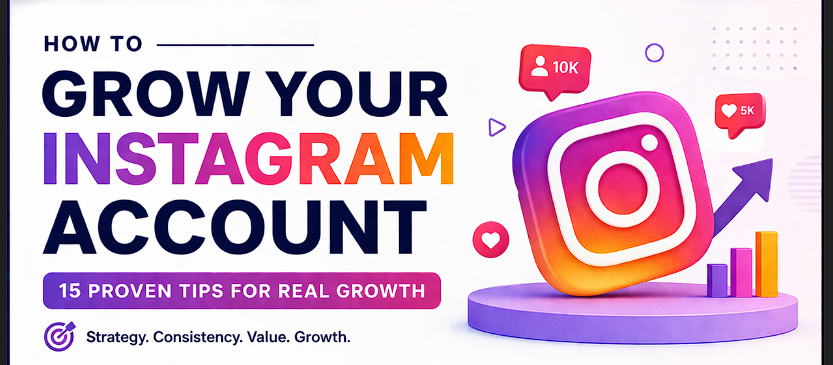
HOW TO GROW YOUR INSTAGRAM ACCOUNT THE RIGHT WAY. Instagram has over two billion active users — and yet most accounts stay invisible. The difference between those who grow and those who stagnate isn’t luck. It’s a clear, repeatable system. Here’s the one that actually works. ✦ 01 —Define Your Niche with Ruthless Clarity The single biggest mistake new creators make is trying to appeal to everyone. Instagram’s algorithm rewards specificity. When you post about everything — travel, food, fitness, motivation — the algorithm has no idea who to show your content to. When you own a niche, the algorithm knows exactly who your audience is and pushes your content to more of them. Pick one clear theme and go deep into it. Ask yourself: What can I talk about every single day without running out of ideas?  02 —Optimize Your Profile Like a Landing Page You have about three seconds when someone visits your profile to convince them to follow you. Your profile is not a bio — it’s a sales page. Every element must work hard. Start with a high-quality profile photo that shows your face clearly (personal brands) or your logo boldly (business accounts). Your username should be easy to spell, search, and remember. Your bio needs to answer: Who is this for? What value do I offer? What should I do next? End with a clear call-to-action linked to your best offer, newsletter, or website. 03 —Master the Content Formats That Instagram Favours Instagram in 2026 is a Reels-first platform. Short-form video consistently reaches more non-followers than any other format — it is the engine of organic growth. However, a balanced content mix will serve you best. ReelsDiscovery & Reach CarouselsSaves & Shares StoriesCommunity & Trust 04 —Post Consistently — Not Constantly Consistency beats volume every time. Posting seven mediocre pieces of content in a week will hurt your account more than posting three exceptional ones. Instagram’s algorithm measures engagement rate — the percentage of people who interact with your post. A flood of low-performing posts trains the algorithm that your content is not worth showing widely. Create a sustainable content calendar you can actually maintain. Three to five posts per week of genuine quality is a far stronger strategy than burning out trying to post daily. Use scheduling tools like Later or Meta Business Suite to batch your content creation and publish at optimal times — typically early mornings and evenings in your audience’s time zone. 05 —Use Hashtags and SEO Strategically Hashtags are no longer the primary discovery mechanism they once were — Instagram itself confirmed that keyword search and Reels audio are now bigger drivers of reach. However, hashtags still serve as content categorization signals to the algorithm 06 —Engage Like a Human Being Growth without engagement is a ghost town. The most overlooked growth strategy on Instagram is also the most obvious: talk to people. Reply to every comment on your posts, especially within the first hour of publishing — this signals activity to the algorithm and boosts early reach. Leave genuine, thoughtful comments on posts from accounts in your niche. 07 —Collaborate and Cross-Pollinate One of the fastest ways to grow is borrowing an audience. Instagram Collabs — where a post appears on two profiles simultaneously — are a powerful and underutilised tool. Find creators in your niche with a similar or slightly larger following and propose genuine collaborations: joint Reels, shared giveaways, or content takeovers. 08 —Analyse, Adapt, and Double Down Data is your compass. Switch to a Creator or Business account to access Instagram Insights, and check your analytics weekly. Pay close attention to reach (how many unique accounts saw your content), saves (the strongest signal of valuable content), and follower growth per post type. Identify your top three performing posts each month and ask: Why did these work?

GROW YOUR INSTAGRAM ACCOUNT
Uncategorized

HOW TO GROW YOUR INSTAGRAM ACCOUNT

HOW TO GROW YOUR INSTAGRAM ACCOUNT IN 2026 How to Grow Your Instagram Account in 2026: A Complete Guide Instagram is no longer just a photo-sharing app—it has become a powerful platform for building a personal brand, growing a business, and generating income. But with increasing competition and constant algorithm updates, growing an Instagram account today requires a smart, consistent, and strategic approach. In this blog, you’ll learn practical and proven methods to grow your Instagram account organically and build a strong, engaged audience. 1. Define Your Niche Clearly The biggest mistake beginners make is trying to post everything. If your content is not focused, people won’t know why they should follow you. 2. Optimize Your Profile for First Impressions Your Instagram profile is like your digital visiting card. When someone visits your page, they should instantly understand what you do. 3. Focus on High-Quality Content Content is the backbone of Instagram growth. Poor-quality or random content will never work. Follow the 3E content rule: Educate – Share tips, tutorials, guides Entertain – Memes, reels, relatable content Engage – Ask questions, polls, opinions 4. Use Reels to Maximize Reach Reels are the most powerful growth tool on Instagram right now. They help you reach people who don’t follow you. Tips for viral reels: Hook the audience in the first 2–3 seconds Use trending audio Keep videos short and engaging Add captions and text overlays 5. Be Consistent with Posting Posting once in a while won’t give results. You need a consistent content schedule. Recommended plan: 3–5 posts per week 4–7 reels per week Daily stories Consistency builds trust with your audience and signals the algorithm to push your content more.  

HOW TO BUILD A LINKEDIN PROFILE
Uncategorized

How to Build a Proper LinkedIn Profile in 2026

How to Build a LINKEDIN Profile in 2026 Over 1 billion professionals are on LinkedIn. Yet the vast majority of profiles are incomplete, generic, and completely forgettable. Recruiters spend an average of 7 seconds on a profile before deciding whether to move on. Your profile needs to make an immediate impression — and this guide will show you exactly how. Whether you’re a job seeker, a business owner, a freelancer, or a professional building authority in your industry — your LinkedIn profile is your digital first impression. It’s your personal brand, your portfolio, and your pitch all in one place. Let’s build it properly. 1Your Profile Photo & Banner — First Impressions Are Everything Before anyone reads a single word on your profile, they see your face. Your profile photo alone determines whether someone continues reading or moves on. This is not the place to cut corners. 📸 The Perfect Profile Photo Use a high-resolution, professional headshot with a clean background. Face forward, smile naturally, and wear what you’d wear to a client meeting. Avoid selfies, cropped group photos, or casual shots. Your face should fill at least 60% of the frame. LinkedIn profiles with photos get 21× more profile views than those without. 🖼️ The Banner Image — Free Real Estate Most People Waste Your banner (the wide image behind your photo) is the largest visual element on your profile and 90% of people leave it as the default blue gradient. Use it strategically. Include your tagline, your website URL, your niche, or a visual that represents your work. Tools like Canva offer free LinkedIn banner templates — use them. 2Write a Headline That Does the Heavy Lifting Your headline appears right below your name — in search results, in connection requests, in comments, and on your profile. It’s the most-read line on your entire profile. Yet most people simply write their job title. ✓ Do This Digital Marketing Consultant | Helping Brands Scale with Google & Meta Ads HR Manager | Building High-Performance Teams for Fast-Growing Startups Freelance Graphic Designer | Brand Identity for D2C Businesses Use keywords your target audience searches for Show who you help and what outcome you deliver ✗ Not This “Digital Marketing Manager at XYZ Company” “Seeking New Opportunities” “Fresher | Open to Work | Passionate” Vague buzzwords with no substance Just your job title with nothing else Pro Formula: [What you do] + [Who you help] + [The result you deliver]. You have 220 characters — use all of them. Your headline is searchable, so include industry keywords naturally. 3Craft an About Section That Converts Visitors Into Connections The About section (formerly “Summary”) is your story. This is where you move from a list of credentials to a human being with a clear value proposition. Most profiles either leave it blank or paste their CV here. Both are missed opportunities. 4Experience, Education & Skills — Get the Details Right Your experience section isn’t just a work history — it’s a results portfolio. Anyone can write “Managed social media accounts.” The professionals who get noticed write with specificity and impact. Transform Duties Into Achievements For every role, lead with results wherever possible. “Increased organic traffic by 140% in 6 months through SEO restructuring” tells a story. “Responsible for SEO” tells nothing. Use the formula: Action verb + specific task + measurable result. Numbers, percentages, and rupee/dollar amounts make your experience 3× more compelling. 🎓 Education & Certifications List your degree and institution. Then go beyond: add relevant certifications like Google Ads Certification, Meta Blueprint, HubSpot, or any course that adds credibility to your professional claim. LinkedIn lets you add these under “Licences & Certifications” — this section is checked by recruiters far more than most people realise. 🔑Skills — Add the Right 10, Not All 50 LinkedIn allows up to 50 skills but quality beats quantity here. Add 10–15 highly relevant skills that match your target role or niche. Pin your top 3 most important skills — these appear prominently on your profile. Skills endorsed by your connections significantly boost your credibility and your LinkedIn Search Score. 5Build Social Proof With Recommendations Anyone can claim they’re good at their job. A recommendation from someone else is proof. LinkedIn recommendations are the digital equivalent of a reference letter — and they live permanently on your profile. Ask 3–5 colleagues, clients, or managers for recommendations — personalise every request, never use LinkedIn’s default message Tell them specifically what to mention: a project, a result, a skill, or a quality that matters in your field Give recommendations first — people are far more likely to return the favour Aim for recommendations that include specific outcomes: “Rahul grew our leads by 60%” beats “Rahul is great to work with” Refresh recommendations every 1–2 years to keep your profile current and credible 6Optimise for LinkedIn’s Search Algorithm LinkedIn has its own search engine, and your profile is either optimised for it or invisible to it. When a recruiter or potential client searches for someone in your field, you want to appear on page one — not page ten. 🔍Keywords Are Everything Identify 8–10 keywords your target audience uses to find people like you. Embed them naturally across your Headline, About section, Experience descriptions, and Skills. Don’t keyword-stuff — write for humans first, algorithm second. LinkedIn’s algorithm weighs your headline and About section most heavily. 🌐Customise Your LinkedIn URL By default, LinkedIn gives you a URL full of random numbers: linkedin.com/in/rahulsharma-4829502b. Customise it to linkedin.com/in/rahulsharma or linkedin.com/in/rahul-digital-marketing. This looks professional on business cards, email signatures, and resumes — and it’s a small SEO boost too. 📊 Post Content Consistently The single fastest way to grow on LinkedIn in 2026 is to post. Even 2–3 times per week makes a significant difference. Share industry insights, lessons from your work, client wins (with permission), or your opinion on trends. Every post extends your reach to people who’ve never visited your profile — and brings them to it. 7The 5 LinkedIn Profile Mistakes Killing Your Visibility  No profile photo or

how to run google ads
Uncategorized

How to Run Google Ads Successfully in 2026

How to Run Google Ads Successfully in 2026 Google processes 8.5 billion searches every single day. Behind most of those searches is someone with a problem, a question, or a desire to buy something. Google Ads puts your business directly in front of those people at the exact moment they’re looking. But running Google Ads without a strategy is like opening a shop with no signboard — you’re paying, but nobody relevant is finding you. Google Ads works. But only when set up correctly. This guide walks you through every critical step — from campaign structure to bidding strategy — so you can run ads that consistently bring in customers, not just clicks. 1Understand the Google Ads Ecosystem Before spending anything, you need to know what you’re working with. Google Ads isn’t just search results. It’s a family of ad formats, each built for a different purpose and stage of the customer journey. Set Up Your Account the Right Way A poorly structured Google Ads account is the silent killer of campaigns. Most beginners dump everything into one campaign and one ad group — then wonder why results are mediocre. Here’s the correct structure: Master Keyword Research & Match Types Keywords are the heart of Google Search Ads. You’re bidding to appear when someone types a specific phrase. Choosing the wrong keywords — or the wrong match types — will drain your budget on irrelevant traffic. Use negative keywords obsessively. Negative keywords tell Google when NOT to show your ad. If you sell premium web design, add “free”, “cheap”, “DIY” as negatives. This one habit can cut wasted spend by 30–40%. 4Write Ads That Win Clicks Google Search Ads give you three headlines (30 characters each) and two descriptions (90 characters each). Every character matters. Here’s what works: 📣 Headline 1: Mirror the Keyword Include the keyword the user searched for in your first headline. Google bolds it in the results, making your ad instantly relevant. “Digital Marketing Agency in Delhi” — clean, direct, keyword-matched. 💎 Headline 2: Your Unique Value What makes you different? “10+ Years Experience”, “₹99 Trial Campaign”, “500+ Clients Served”. Give people a specific reason to choose you over the other three ads on the page. 📲 Description: Benefit + CTA State the key benefit clearly and end with a direct call to action. “Get more leads with data-driven campaigns. Book a free strategy call today.” Simple, specific, action-oriented. Use Ad Assets (Extensions): Always add Sitelinks, Callouts, Structured Snippets, and Call Extensions. These make your ad take up more screen real estate — for free — and dramatically improve CTR. 5Understand Quality Score — Your Secret Weapon Quality Score is Google’s rating (1–10) of how relevant your keyword, ad, and landing page are to each other. A high Quality Score means you pay less per click than competitors and rank higher. It’s the biggest lever most advertisers ignore. Expected CTR 33% How likely your ad is to be clicked when shown Ad Relevance 1:1 How closely your ad matches the search intent Landing Page 3s Max load time before Quality Score drops significantly The formula is simple: relevant keywords → relevant ad copy → relevant landing page. Keep all three aligned and your Quality Score rises, your costs drop, and your ads climb the page. 6Choose Your Bidding Strategy Wisely Google offers manual and automated bidding. Here’s what to use and when: Manual CPC— Full control over bids. Best for beginners with limited data to teach the algorithm. Maximise Clicks— Google spends your budget to get as many clicks as possible. Good for traffic campaigns. Target CPA (Cost Per Acquisition)— Tell Google how much a lead is worth. Needs 30+ conversions/month to work well. Target ROAS— Ideal for e-commerce. Set a return goal (e.g., 4×) and Google bids to hit it. Maximise Conversions— Google spends your full budget to get as many conversions as possible. Great for scaling. Enhanced CPC (ECPC)— Manual bidding with smart adjustments. A good middle ground for newer accounts Use negative keywords obsessively. Negative keywords tell Google when NOT to show your ad. If you sell premium web design, add “free”, “cheap”, “DIY” as negatives. This one habit can cut wasted spend by 30–40%. 4Write Ads That Win Clicks Google Search Ads give you three headlines (30 characters each) and two descriptions (90 characters each). Every character matters. Here’s what works: 📣 Headline 1: Mirror the Keyword Include the keyword the user searched for in your first headline. Google bolds it in the results, making your ad instantly relevant. “Digital Marketing Agency in Delhi” — clean, direct, keyword-matched. 💎 Headline 2: Your Unique Value What makes you different? “10+ Years Experience”, “₹99 Trial Campaign”, “500+ Clients Served”. Give people a specific reason to choose you over the other three ads on the page. 📲 Description: Benefit + CTA State the key benefit clearly and end with a direct call to action. “Get more leads with data-driven campaigns. Book a free strategy call today.” Simple, specific, action-oriented. Use Ad Assets (Extensions): Always add Sitelinks, Callouts, Structured Snippets, and Call Extensions. These make your ad take up more screen real estate — for free — and dramatically improve CTR. 5Understand Quality Score — Your Secret Weapon Quality Score is Google’s rating (1–10) of how relevant your keyword, ad, and landing page are to each other. A high Quality Score means you pay less per click than competitors and rank higher. It’s the biggest lever most advertisers ignore. Expected CTR 33% How likely your ad is to be clicked when shown Ad Relevance 1:1 How closely your ad matches the search intent Landing Page 3s Max load time before Quality Score drops significantly The formula is simple: relevant keywords → relevant ad copy → relevant landing page. Keep all three aligned and your Quality Score rises, your costs drop, and your ads climb the page. 6Choose Your Bidding Strategy Wisely Google offers manual and automated bidding. Here’s what to use and when: Manual CPC— Full control over bids. Best for beginners with limited data to teach the algorithm.

how to run meta ads
Uncategorized

How to Run Meta Ads Successfully in 2026

How to Run Meta Ads Successfully in 2026 Most businesses running Meta Ads are losing money — not because Meta Ads don’t work, but because they’re doing it wrong. Wrong audience. Wrong creative. Wrong objective. This guide gives you the complete, no-fluff roadmap to run Meta Ads that actually deliver results. Meta’s advertising platform — spanning Facebook, Instagram, WhatsApp, and Messenger — reaches over 3.2 billion people daily. That’s an extraordinary opportunity. But the same platform that makes millionaires also drains bank accounts when used without a strategy. Let’s change that.  GetYour Foundation Right First Before youspend a single rupee on ads, your foundation must be solid. Skipping this step is the #1 reason campaigns fail.  Define Your Audience With Surgical Precision Meta’s superpower is targeting. You can reach people by age, location, income, interests, relationship status, job title, buying behaviour, and much more. But most beginners go too broad — or too narrow. Here’s how to get it right. Cold audiences are people who’ve never heard of you. Use interest-based or lookalike targeting here. Start with a broad interest (not 20 layered interests) and let Meta’s algorithm find buyers within it. Warm audiences are people who’ve interacted with you — visited your website, watched your video, engaged with your page. These are your best converters. Always retarget them with a stronger offer.  Choose the Right Campaign Objective Meta will ask you what your objective is before you build your campaign. This single choice determines everything about how your ads are delivered. Most beginners pick “Reach” or “Engagement” — and then wonder why nobody buys. Create Ads That Stop the Scroll Here’s the hard truth: your creative — the image or video in your ad — is responsible for 70–80% of your campaign’s performance. It’s not the targeting. It’s not the copy. It’s the creative. Nobody stops scrolling for a boring stock photo Manage Your Budget Like a Pro You don’t need a massive budget to start — but you do need to spend smart. Here’s the framework used by performance marketers at serious brands. Start with a minimum of ₹500–₹1,000/day per ad set to give Meta enough data to optimise UseCampaign Budget Optimisation (CBO)— let Meta distribute budget where it performs best Scale winning ad sets by 20–30% every 3–5 days — never double overnight Allocate 70% to conversion campaigns, 20% to retargeting, 10% to awareness Set a daily budget cap — never run a campaign without a spending limit Watch yourFrequencymetric — above 3.5 means ad fatigue, refresh your creatives 06 The 5 Costly Mistakes to Avoid ✗ Editing a running ad. Every time you edit a live ad, Meta resets the learning phase and you lose all the data it has collected. Create a new ad instead of editing. ✗ Too many interests layered together. Stacking 15 interests narrows your audience so much that Meta can’t find buyers. One to three broad interests per ad set is enough. ✗ Judging campaigns too early. Pulling the plug after 2 days is the most expensive mistake beginners make. Give every campaign at least 7 days and 50 conversion events before deciding. ✗ Sending traffic to your homepage. Your homepage is for browsers. Ads need dedicated landing pages with one clear action — no distractions, no navigation menu, no confused visitors. ✗ Ignoring your comments section. Negative comments left unanswered destroy social proof and hurt your ad performance. Monitor and respond to every comment within 24 hours. 07 The Mindset That Separates Winners From Losers The businesses that succeed with Meta Ads aren’t necessarily the ones with the biggest budgets. They’re the ones who treat every campaign as a data-collection exercise. Every failed ad teaches you something. Every winning ad gives you a formula to scale. Meta’s algorithm in 2026 is smarter than it has ever been. If you give it the right objective, a healthy Pixel with real conversion data, and creative that genuinely resonates with your audience — it will find your buyers. Your job is to set up the system correctly and let the machine work. Running Meta Ads successfully isn’t magic. It’s a process: right audience → right creative → right offer → right landing page → track, test, scale. Master that loop and Meta Ads will become the most powerful growth engine your business has ever had.

Uncategorized

Google Ads vs. Meta Ads: which works better for your industry?

Google Ads vs. Meta Ads Every business owner asking “should I run Google Ads or Meta Ads?” is asking the wrong question. The right question is: where does your customer go when they’re ready to buy — and where do they hang out when they’re not? This blog breaks it down for you, industry by industry. Google and Meta together control nearly 50% of global digital ad spending. But throwing money at both without a strategy is one of the fastest ways to burn your budget. Let’s get into the real differences — and then match each platform to the right industries. The Core Difference Nobody Explains Clearly Here’s the simplest way to understand the two platforms: 💡 Google Ads captures demand that already exists. Meta Ads creates demand that didn’t exist yet. Google meets people mid-search. Meta interrupts people mid-scroll. When someone types “emergency plumber near me” into Google, they need a plumber right now. That’s high-intent, urgent demand. Google Ads puts you right in front of them. When someone is scrolling Instagram and sees a beautiful skincare ad, they weren’t looking for skincare — but now they want it. That’s demand creation. Meta Ads is exceptional at this. Google Ads — Strengths & Weaknesses 🔵 Google Ads at a Glance Google Ads (Search, Display, YouTube, Shopping) works best when people are actively searching for a solution. You pay per click, and the intent behind that click is already strong. ✓ Pros High purchase intent — people are actively searching Excellent for local and emergency services Precise keyword targeting Measurable ROI with conversion tracking Google Shopping is powerful for e-commerce Works fast — traffic from Day 1 ✗ Cons High cost-per-click in competitive niches Poor for brand building or awareness Needs constant keyword management Limited visual/creative storytelling Low search volume for niche products Difficult for new/unknown products Meta Ads — Strengths & Weaknesses 🔷 Meta Ads at a Glance Meta Ads (Facebook, Instagram, WhatsApp, Messenger) lets you reach people based on who they are, not just what they’re searching. Age, interests, behaviors, income, relationship status — Meta’s targeting is unmatched. ✓ Pros Unbeatable audience targeting granularity Powerful for brand awareness and storytelling Visual-first — great for product showcasing Lower CPM for broad awareness campaigns Retargeting is world-class Instagram Reels ads are huge right now ✗ Cons Lower purchase intent — interruption marketing Ad fatigue is real — creatives need constant refresh Privacy changes (iOS 14+) reduced tracking accuracy Longer conversion cycles for high-ticket items Not ideal for urgent/emergency services Requires creative expertise to stand out Industry-by-Industry Breakdown Here’s the most important part. Let’s match the right platform to your specific industry — no guesswork needed. Industry Best Platform Why 🏠 Home Services (plumbing, electrician, AC repair) Google Ads People search urgently — “AC repair near me” is pure intent 🛍️ Fashion & Apparel Meta Ads Instagram is a visual discovery engine for fashion 💆 Beauty & Skincare Meta Ads Impulse-driven, needs visuals & influencer-style ads 🏥 Healthcare & Clinics Google Ads People search for specific symptoms or specialists 🎓 Education & Coaching Both Google for course searches; Meta for awareness & leads 🏗️ Real Estate Both Google for property searches; Meta for lifestyle & retargeting 🍕 Restaurants & Food Meta Ads Food is visual — Instagram drives cravings and footfall ⚖️ Legal Services Google Ads People search for lawyers in specific situations/problems 💻 SaaS & Tech Products Both Google for bottom-of-funnel; Meta for top-of-funnel awareness 🛒 E-commerce (Products) Both Google Shopping + Meta Retargeting is the ultimate combo 🚗 Automobile Dealerships Google Ads Buyers research heavily on Google before visiting showrooms 💪 Fitness & Gyms Meta Ads Before-after creatives and video ads perform brilliantly on Meta The Budget Question: Where Should You Start? If you’re a small business with a limited budget, don’t split it equally. Double down on one platform first. Here’s how to decide: 🎯 Quick Decision Guide → Do people already search for your service?Yes → Start with Google Ads. Capture the demand that already exists. → Is your product visual or lifestyle-driven?Yes → Start with Meta Ads. Let Instagram do the storytelling for you. → Do you need leads fast?Yes → Google Ads for urgent, high-intent leads. Faster conversion cycle. → Are you building a brand from scratch?Yes → Meta Ads first. Build awareness, then retarget on Google. → Do you serve a local area only?Yes → Google Ads with location targeting. Local search = local customers. The Power Move: Use Both Together The most successful digital marketing campaigns don’t choose one over the other — they use both platforms at different stages of the customer journey. 🔥 The Winning Funnel Strategy Step 1 — Awareness (Meta): Run Meta ads to introduce your brand to cold audiences. Use video, carousel, or Reels to build recognition. Step 2 — Consideration (Meta Retargeting): Retarget website visitors and video viewers with stronger offers, testimonials, and social proof. Step 3 — Decision (Google Ads): Capture people who go to Google to research and compare before buying. Appear at the top when they search your brand or category. Step 4 — Conversion (Landing Page + Both): Retarget non-converters on both platforms simultaneously. This is where you close the deal. Key Metrics to Watch on Each Platform On Google Ads, track: CTR (Click-Through Rate) — are people clicking your ads? Aim for 3–5% on Search. Quality Score — higher scores = lower CPCs. Conversion Rate — how many clicks turn into leads or sales? Cost Per Conversion — the ultimate metric of ROI. On Meta Ads, track: CPM (Cost Per 1,000 Impressions) — are you reaching people cheaply? CTR — is your creative compelling enough to earn a click? Frequency — if it goes above 3–4, ad fatigue is setting in. ROAS (Return on Ad Spend) — the gold standard for e-commerce.

HOW TO MAKE VIRAL CONTENT
Uncategorized

HOW TO MAKE VIRAL CONTENT IN 2026

HOW TO MAKE VIRAL CONTENT IN 2026 Every day, billions of posts vanish into the void — unseen, unshared, forgotten. But occasionally, something breaks through. It spreads. It gets screenshotted, reposted, quoted, and discussed. What separates that content from everything else isn’t talent. It isn’t timing alone. It’s a formula — and once you understand it, you can replicate it deliberately. Why Most Content Dies in the Dark Here’s the uncomfortable truth: most creators are making content for themselves, not for their audience. They pick topics they find interesting, use formats they’re comfortable with, and post at times that are convenient for them. Then they wonder why nobody shares it. Viral content isn’t about broadcasting — it’s about giving people something they want to pass on. The moment you shift your thinking from “what do I want to say?” to “why would someone share this?”, everything changes. Platforms like Instagram, TikTok, YouTube Shorts, and X are all governed by the same invisible law: engagement signals determine reach. The algorithm doesn’t decide what’s good — it amplifies what people respond to. Your job is to trigger that response in the first three seconds. The Six Emotions That Drive Every Share Jonah Berger’s landmark research in his book Contagious revealed something counterintuitive: people don’t share information — they share feelings. Every piece of content that goes viral is riding on at least one of six core emotional triggers: ✓Awe — “I had no idea this was possible.” Scale, beauty, and the extraordinary. ✓Humor — Laughter is the most contagious human experience. Even a weak joke shared at the right moment spreads. ✓Anger — Outrage is a powerful sharer. Injustice, hypocrisy, and contradiction all trigger it. ✓Anxiety — “You need to know this.” Warning-based content thrives on urgency. ✓Inspiration — Transformation stories, underdog wins, and comeback arcs hit deep. ✓Identity — “This is so me.” Content that validates who someone is gets shared as self-expression. Before you publish anything, ask yourself: which of these emotions does this content produce? If your honest answer is “none,” go back and rewrite it. A technically perfect, beautifully designed post that produces no emotional response will never, ever spread. Hook First, Everything Else Second You have three seconds. Sometimes less. On short-form video platforms, the first frame is your entire pitch. On social feeds, the first line of text is your headline, your promise, and your invitation — all in one. If you lose people here, nothing else matters. The anatomy of a great hook follows a simple pattern: Interrupt → Intrigue → Promise. You interrupt the scroll, create a knowledge gap the viewer desperately wants filled, and hint at a payoff worth staying for. Compare these two openers for the same piece of content: The second hook creates a knowledge gap. It makes a bold, specific claim. It implies a secret. Your brain physically cannot not want to know what that change was. That’s the hook doing its job. The Anatomy of a Viral Post Viral content, regardless of format or platform, almost always shares the same structural DNA. Here it is broken down as a repeatable blueprint: The Pattern Interrupt: Open with something that breaks expectation — a surprising stat, a bold claim, a visual anomaly, or a counterintuitive statement. Make stopping feel involuntary. The Relatable Setup: Establish common ground with your audience. Make them nod and think, “Yes, that’s exactly how it feels.” You need them emotionally onboard before you deliver the value. The Tension Arc: Every good story has a problem. Introduce conflict — a struggle, a challenge, a mistake made. Tension is what keeps people reading or watching. No tension, no retention. The Payoff: Deliver the insight, reveal, punchline, or solution. This is where the emotional release happens — and emotional release is exactly what people want to share with others. The Shareable Moment: End with something quotable, re-watchable, or screenshot-worthy. Give your audience the perfect “exit line” to pass along. Riding the Wave: Trends vs. Timeless There’s a constant debate among creators: should you chase trends or build evergreen content? The answer is — strategically, both. But you need to understand the difference between them and what each delivers. Trend-based content is rocket fuel. When you attach your message to a trending audio, meme format, news story, or cultural moment, you borrow the momentum of something people are already searching for and talking about. Your content gets a visibility boost that would take months to build organically. The downside? Shelf life is hours, sometimes minutes. Evergreen content is your compound interest. A genuinely helpful, well-structured post on a timeless topic — how to do something, why something works, what most people get wrong — keeps getting found, shared, and saved for months or years. It builds authority. It attracts followers who stay. The winning formula: use trending formats to attract attention, and fill them with evergreen substance to convert that attention into loyal followers. Ride the wave of the trend — but deliver content that would still be worth reading six months from now. The Psychology of Shareability People share content for deeply personal, self-serving reasons — and there’s nothing cynical about that. Understanding this is one of the most powerful unlocks in content creation. When you share something, you’re doing one of a handful of things: You’re signaling your values — “I believe in this.” You’re entertaining your audience — “My followers will love this.” You’re helping someone you care about — “My friend needs to see this.” You’re expressing your identity — “This is so me.” Or you’re establishing your expertise — “I knew about this before it went mainstream.” When you design content, ask yourself: which of these motivations does this content serve? If the answer is clear, you’ve built a content piece with a natural sharing incentive baked in. If you can’t identify a sharing motivation, your audience won’t be able to either. Consistency Is the Actual Algorithm Hack Creators obsess over hacks — the best posting time, the magic hashtag count, the perfect caption length. And while these details matter at the margins, the single biggest driver of growth that most creators underestimate is consistency. Algorithms reward accounts that

HOW TO BUILD A MARKETING AGENCY IN 2026
Uncategorized

HOW TO BUILD A MARKETING AGENCY IN 2026

HOW TO BUILD A MARKETING AGENCY IN 2026 The marketing landscape in 2026 looks nothing like what we imagined five years ago. Artificial intelligence writes copy, generates visuals, and optimises ad spend in real time. Attention spans are fragmented across a dozen new platforms. Clients are sharper, budgets are tighter, and the barrier to entry has never been lower — which paradoxically makes standing out harder than ever. So why, in the middle of all this chaos, is now arguably the best time in history to launch a marketing agency? Because chaos creates opportunity, and those who understand the new rules will build extraordinary businesses. This guide is for the entrepreneur, the freelancer-turned-founder, and the corporate marketer who’s finally ready to go solo. If you follow these steps with discipline and creativity, you won’t just build an agency — you’ll build one that matters. Step 1: Pick a Niche That Actually Pays The biggest mistake new agency founders make is trying to serve everyone. “Full-service marketing for all businesses” is not a positioning statement — it’s a confession of indecision. In 2026, the most profitable agencies are laser-focused on a specific industry, a specific channel, or a specific type of outcome. Think about it this way: if a fast-growing fintech startup needs a performance marketing agency, would they call a “generalist” shop or a firm whose entire portfolio is made up of fintech wins? The answer is obvious. Niching down makes your pitch sharper, your case studies more compelling, and your referral network infinitely more powerful. Great niches in 2026 include: AI-native SaaS companies, health and wellness DTC brands, creator economy businesses, climate-tech startups, and professional services firms that have been historically slow to embrace digital. Pick one. Own it completely. “The riches are in the niches — but in 2026, the real wealth is in the deepest niches.” Agency Growth Principle Step 2: Build Your Offer Around Outcomes, Not Services Clients don’t want “social media management.” They want more customers, more leads, more revenue. The most successful agencies in 2026 have made a fundamental shift: they sell outcomes, not deliverables. Instead of charging for ten posts per month, they charge for a measurable growth target — and they build the services around that promise. This means you need to understand unit economics deeply. What is a lead worth to your client? What’s their customer lifetime value? What conversion rate improvement would make a transformational difference? When you answer these questions, you can price on value rather than hours — and your margins will reflect that. Structure your offer in tiers. A starter engagement that proves your model, a growth package for scale, and a premium retainer for clients who want full strategic partnership. Keep it simple; complexity kills deals. Step 3: Land Your First Three Clients (The Right Way) Revenue is oxygen. Before you build a website, design a brand, or write a manifesto, focus exclusively on getting your first three paying clients. They don’t need to be huge. They need to be real. Start with your existing network. Former colleagues, ex-bosses, friends who own businesses — these are your warmest leads. Offer a founder’s rate in exchange for a testimonial and a case study. Deliver extraordinary results. Then use those results to win the next client at full price. In parallel, build in public. Share what you’re learning on LinkedIn. Document client wins (with permission). Write short, opinionated posts about your niche. In 2026, thought leadership is the highest-ROI marketing channel for B2B service businesses — it compounds over time and generates inbound enquiries you never had to pay for. Step 4: Systemise Before You Scale Most agencies plateau at five to ten clients because everything lives in the founder’s head. The work is good, but the process is chaos. Every new client reinvents the wheel. Every campaign requires starting from scratch. This is the death knell of growth. Before you hire your first employee or take on your fifth client, document everything. Build templated onboarding processes. Create standardised campaign frameworks. Record Loom walkthroughs of your most common tasks. Invest in a client portal where work, feedback, and reports all live in one place. Systems are not bureaucracy — they’re freedom. When your processes run without you, you can focus on strategy, relationships, and growth instead of being buried in execution. 1 Onboarding Playbook A documented, repeatable process from signed contract to first deliverable — so every client feels like a VIP from day one. 2 Monthly Reporting Template Automated dashboards that highlight wins, explain what the numbers mean, and set clear expectations for the month ahead. 3 Campaign Launch Checklist A non-negotiable quality gate before anything goes live — protecting your reputation and your client’s budget. 4 Quarterly Strategy Review A structured conversation that re-anchors client relationships around outcomes, surfaces upsell opportunities, and prevents churn. Step 5: Hire Slow, Automate First The temptation when revenue arrives is to hire quickly. Resist it. In 2026, AI tools can handle tasks that used to require two full-time employees. Before every hire, ask: can this be automated? Can a freelancer handle this on a project basis? Only bring on permanent team members for roles that are truly strategic and relationship-driven. When you do hire, prioritise character over credentials. Skills can be taught; attitude cannot. Look for people who are curious, accountable, and genuinely excited about the niche you’ve chosen. Culture at an agency is everything — one toxic hire can derail a team of ten. Step 6: Retain Clients Like Your Life Depends on It Winning clients is exciting. Keeping them is what makes you wealthy. An agency with 85% annual client retention is worth dramatically more — financially and operationally — than one constantly running on the hamster wheel of new business. Every churned client is a lost case study, a lost referral source, and a hit to team morale. The formula for retention is deceptively simple: consistent communication, undeniable results, and making clients feel like the most important account in the

why your instagram account is getting suspended in 2026
Uncategorized

Why Your Instagram AccountIs Getting Suspended in 2026

WHY your Instagram account is getting suspended in 2026 From innocent family photos to thriving businesses — thousands are waking up to a disabled account. Here’s the real story behind the mass ban wave, and what you can do right now. Imagine building a 50,000-follower Instagram account over eight years — a business, a brand, a community — and waking up one morning to find it gone. No warning. No explanation. Just a one-line message: “Your account has been disabled for violating our Community Guidelines.” This is the reality thousands of creators, small business owners, and everyday users are facing right now. The Meta Ban Wave: What Actually Happened To understand why accounts are disappearing in 2026, you need to understand what happened in 2025. It wasn’t a glitch. It wasn’t a coincidence. It was, in the words of one analyst, “Meta’s Frankenstein moment” — a powerful AI system let loose without adequate human oversight. May – June 2025 Meta quietly rolled out upgraded AI moderation models — reportedly LLaMA-based — designed to detect child exploitation content, hate speech, and spam at scale. Within weeks, mass suspension reports flooded Reddit and X. July 2025 — Peak Crisis Nearly 635,000 accounts were removed in a single month. The AI flagged family photos, fitness content, car pictures, and business posts as serious policy violations. False “Child Sexual Exploitation (CSE)” labels devastated innocent users. A Change.org petition gathered over 25,000 signatures. August – October 2025 Media pressure forced partial reversals. Meta acknowledged a “technical error” but offered few explanations. Law firms in California and New York began soliciting clients for class-action lawsuits. South Korea’s Meta director publicly apologised. 2026 — Ongoing Meta claims a 75% reduction in AI errors in the US, but suspensions continue globally. New trust-score systems now govern how quickly and severely accounts are penalised — and most users have no idea their score even exists. “This summer’s mass suspensions have been more than a technical story — they’ve been a human one. Accounts are not just profiles — they’re memory banks and cash registers.”— CEO, Social Media Experts Ltd, London Root Causes The Real Reasons Instagram Suspends Accounts Suspensions in 2026 fall into two categories: legitimate policy violations that users knowingly or unknowingly commit, and AI false positives that punish innocent accounts. Understanding both is critical to protecting yourself. 🤖AI Moderation False Positives Meta’s upgraded AI systems classify content at scale with no human review in the loop. An innocent beach photo, a fitness transformation post, or a car video can trigger severe flags — including CSE labels — simply because the algorithm misreads context. The machine acts first; humans may never review it. 📋Community Guideline Violations Posting content that includes hate speech, nudity, graphic violence, or misinformation violates Instagram’s policies. Even unintentional violations — like using a banned hashtag without knowing it — can trigger automated action. Repeated minor violations escalate rapidly to permanent bans. ⚡Suspicious Activity & Bot Behaviour Sudden spikes in follows, unfollows, likes, or comments — especially if done rapidly — trigger Instagram’s spam detection. Third-party apps like follower trackers, auto-likers, and mass DM tools violate Instagram’s Terms of Service and often trigger immediate account suspension when detected. 🔗Cross-Platform Meta Cascade In 2026, a flag on any Meta platform — Facebook, Instagram, or Threads — can automatically suspend linked profiles across all three. If your accounts share the same Accounts Center, one violation can wipe out your entire Meta presence simultaneously. 🎯Coordinated Mass Reporting Instagram’s system often auto-suspends first and reviews later when multiple users report an account in a short timeframe. This mechanism is increasingly weaponised by competitors, trolls, and bad actors who deliberately organise mass-reporting campaigns to take down rivals. ©️Intellectual Property Complaints A single valid DMCA takedown or trademark complaint can trigger suspension if the content remains live. Even one valid copyright complaint — music in a Reel, an unlicensed logo — can escalate to full account action if not removed promptly after the first warning. The Hidden System Instagram’s Secret “Trust Score” — And Why It Matters What most users don’t know is that Instagram now assigns every account an internal trust score that determines how quickly and harshly it reacts to suspected violations. The higher your trust score, the more lenient the system is. The same action that gets a new account permanently banned might only generate a warning on a verified, established account. 📊What Affects Your Instagram Trust Score According to platform research and user reports, Instagram evaluates: login consistency (same device, same location), account age and verification status, behavioral patterns (gradual growth vs. sudden spikes), connections to previously flagged accounts, and the history of content violations or reports against your profile. You cannot view your trust score directly. But every third-party app you connect, every automation tool you use, and every spam complaint filed against you quietly erodes it — until one day the threshold tips and your account is gone without a moment’s notice. ⚠️Critical Warning for Business Accounts A false CSE (Child Sexual Exploitation) flag is among the most devastating outcomes — not just because of the suspension, but because of the reputational damage that follows. Even after account restoration, the accusation can harm client relationships and brand credibility. If this happens to you, act immediately with documented evidence of your content history. How to Protect Yourself What You Should Stop Doing Right Now Many creators and business owners are unknowingly engaging in behaviors that put their accounts at severe risk. Here are the most common mistakes in 2026: Using third-party follower management apps — “Who unfollowed me” tools, auto-likers, and mass DM platforms violate Instagram’s Terms of Service and are detected quickly. Running multiple accounts from one device without isolation — Instagram allows up to 5 accounts per device, but sudden identical actions across all of them trigger coordinated inauthentic behavior flags. Using banned or flagged hashtags — Some hashtags are permanently blocked. Using them even once can cause your post — and potentially your account — to be flagged. Rapid follow/unfollow cycles — Aggressively following and unfollowing hundreds of accounts a day looks like bot behavior to Instagram’s

Scroll to Top